
How to Remove Liquidity from Your Polygon Token Pool (2026)
Ready to remove liquidity from your Polygon token pool? Whether you're looking to reclaim your tokens and POL, rebalance your position, or wind down a project, removing liquidity is just as straightforward as creating it. This guide will walk you through the entire process.
When you remove liquidity, you're withdrawing your share of the tokens and paired assets (POL, USDT, USDC, etc.) from the pool. For V2 pools, your LP tokens are burned. For V3 pools, your NFT position is closed. In both cases, you receive back the underlying assets based on the current pool ratio.
Removing Liquidity from a Polygon Pool: Step-by-Step Guide
To remove liquidity from your Polygon token pool, head over to the Polygon Liquidity Removal Tool and connect the wallet that holds your LP tokens or NFT position.
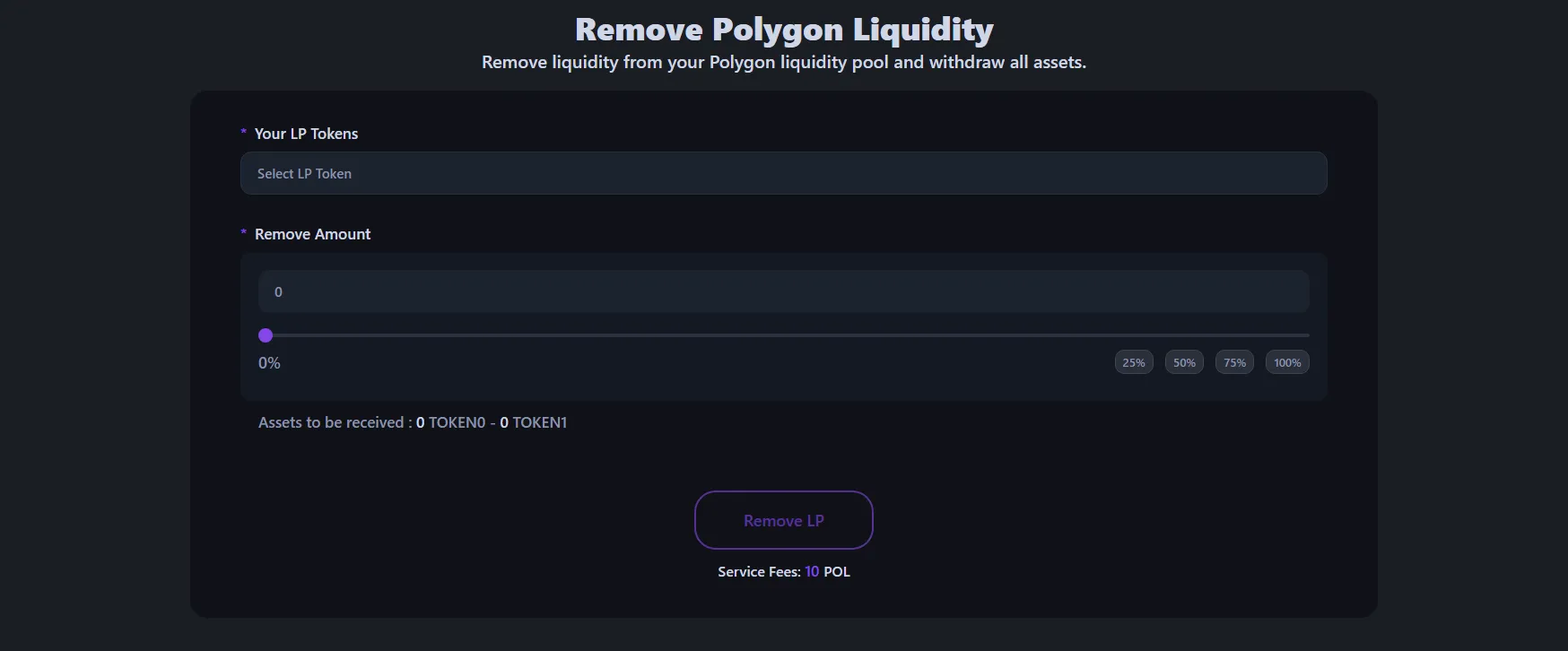
- Connect the wallet that you used to create the liquidity pool.
- Select the liquidity pool you want to remove from — your active pools will be listed automatically.
- Choose how much liquidity to remove: you can withdraw 25%, 50%, 75%, or 100%.
- Review the estimated amounts of tokens and paired assets you'll receive.
- Click "removeLiquidity" and approve the transaction.
Within moments, your tokens and paired assets will be returned to your wallet. You can verify the transaction on PolygonScan and check your updated balances. Removing liquidity on Polygon with Alphecca costs 10 POL plus a small gas fee, with no hidden charges. Polygon is known for its low gas fees.
For a detailed walkthrough on removing Polygon liquidity pools, check out our EVM Chain Liquidity Removal Tutorial.
Things to Keep in Mind Before Removing Liquidity
Removing liquidity is a simple transaction, but there are a few things worth considering before you hit that button.
Impermanent loss becomes permanent. While your tokens are in the pool, price changes between your token and the paired asset can shift the ratio. When you remove liquidity, whatever ratio exists at that moment is what you get back. Depending on how the market moved, you may receive more of one asset and less of the other compared to your initial deposit.
Your token remains tradable — unless you remove 100%. If you only withdraw a portion of your liquidity, the pool stays active and others can still trade. Removing all liquidity means there's no more pool for that pair on that DEX, and trading will stop. This is an important consideration if you have an active community of holders.
Communicate with your community first. Removing a large amount of liquidity — especially 100% — without prior notice can look like a rug pull to your holders and damage trust in your project. If you're planning to remove or reduce liquidity, it's always best to announce it to your community beforehand and explain the reason. Transparency goes a long way.
Your LP tokens or NFT position are the key. For V2 pools, you need the LP tokens you received when creating the pool. For V3 pools, you need the NFT that represents your position. In both cases, only the wallet holding these can remove the liquidity. If you've transferred them to another wallet, you'll need to use that wallet instead.
Frequently Asked Questions
Can I remove liquidity at any time?
Yes, you can remove your liquidity whenever you want — there's no lock-up period. Your LP tokens give you the right to withdraw your share of the pool at any time. The process takes just a few seconds once the transaction is confirmed on the blockchain.
What happens to my token's price when I remove liquidity?
Removing liquidity doesn't directly change the token price. However, if you remove a large portion of the liquidity, the remaining pool becomes smaller, which means trades will cause bigger price swings (higher slippage). If you remove 100% of the liquidity, trading becomes impossible for that pair.
Will I get back the exact same amount of tokens I deposited?
Not necessarily. As people trade in the pool, the ratio of tokens shifts over time. You'll receive tokens and paired assets based on the current pool ratio at the time of removal. Depending on trading activity, you may end up with more of one asset and less of the other compared to what you originally deposited.
How much does it cost to remove liquidity on Polygon?
With Alphecca, the service fee is 10 POL, and the gas fee is minimal. Polygon is known for its very low gas fees, making it one of the most cost-effective chains for managing liquidity.
Which DEXs are supported for liquidity removal on Polygon?
Alphecca supports liquidity removal from pools on Uniswap, QuickSwap, and SushiSwap on Polygon. Both V2 and V3 pool types are supported across these DEXs. The process is the same regardless of which DEX or pool type you're using.
What happens on DexScreener after I remove liquidity?
If you remove all liquidity, DexScreener and DexTools will show that the pool has zero liquidity. Your token's page will still exist, but no trades can be executed. If you only remove a portion, the charts and trading activity will continue as normal with the reduced liquidity.
Wrapping Up
Removing liquidity from your Polygon token pool is a quick and simple process with Alphecca. Whether you're reclaiming your assets, adjusting your strategy, or moving to a different chain, the tool makes it easy — no coding required. Just connect your wallet, choose your pool, and withdraw. It's that simple.