How to Update Solana Token Metadata: Change Name, Symbol, Logo Instantly
Launched your Solana token with a typo in the name? Wrong logo? Missing social links? You can update it — as long as the update authority hasn't been revoked.
Solana token metadata (name, symbol, logo, description, social links) is stored via the Metaplex Token Metadata Program. If your wallet still holds the update authority, you can change any of these fields at any time. The token itself doesn't change — only how it's displayed in wallets, explorers, and DEX aggregators.
What Can You Update?
All of the following can be changed as long as update authority is active:
- Token name — the full name displayed on Solscan, Birdeye, DexScreener
- Token symbol — the ticker (e.g., BONK, WIF)
- Token image — the logo shown in wallets and explorers
- Token description — the text description of your project
- Social links — website, Twitter, Telegram, Discord
What you cannot change: total supply and decimal precision. These are set at token creation and are permanent.
How to Update Token Metadata on Alphecca
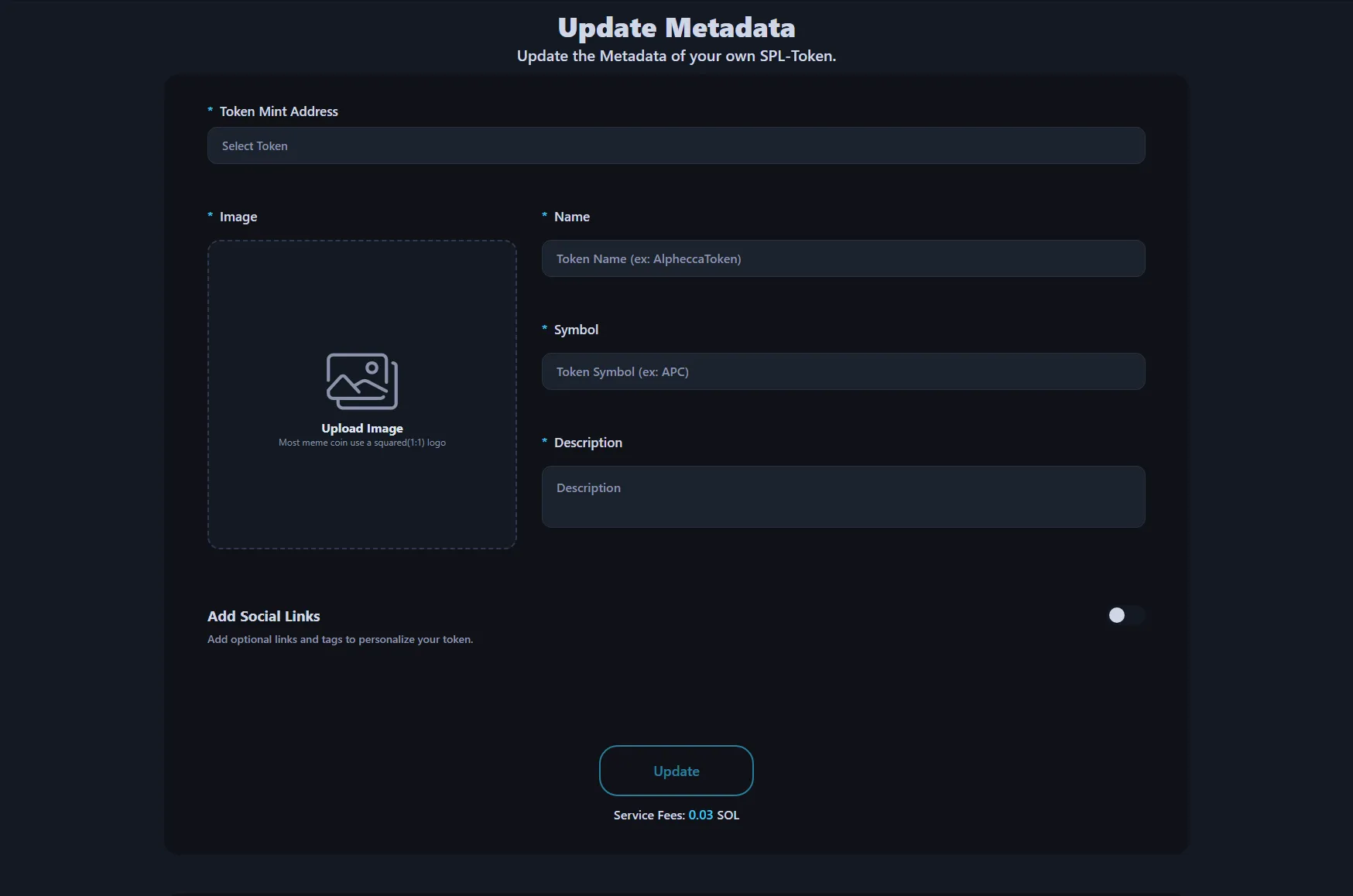
- Go to Update Metadata
- Connect your wallet
- Select the token you want to update from the list — your tokens and update authority status are displayed automatically
- Edit the fields you want to change — name, symbol, image, description, social links
- Click Update and approve the transaction in your wallet
Done. The service fee is 0.03 SOL. Changes reflect on-chain immediately. Wallets and explorers update within minutes to hours depending on their cache.
For a detailed walkthrough, see our Update Solana Token Metadata Tutorial
Requirements
You must have update authority. Only the wallet that holds the update authority can modify metadata. If you've already revoked update authority (made the token immutable), metadata can never be changed again.
You need the token mint address. This is the unique address of your token on Solana. You can find it in your wallet's transaction history or on Solscan.
A small amount of SOL for fees. 0.03 SOL service fee + minor network gas.
When Should You Update Metadata?
Rebranding. Changing your token's name, symbol, or logo to match a new direction.
Fixing mistakes. Typos in the name or symbol, wrong image uploaded at creation.
Adding social links. You launched without a website or Twitter — now you have them and want them visible on explorers and DEX pages.
Improving credibility. Tokens with complete metadata (logo, description, social links) look more legitimate on DexScreener and Birdeye than tokens with missing fields.
What Happens After Updating?
The on-chain metadata updates instantly. But different platforms have different cache refresh times:
- Solscan, Solana explorers — minutes to hours
- Phantom, Solflare wallets — 1 to 24 hours
- DexScreener, Birdeye, DEXTools — minutes to a few hours
- Jupiter, Raydium — can take 1–3 days
If your updated metadata isn't showing on a specific platform, it's a caching issue on their side. The on-chain data is already correct.
FAQ
Can I update metadata if I revoked update authority?
No. Once update authority is revoked, the token is immutable. Name, symbol, logo, description, and social links are locked permanently.
Does updating metadata affect the token's functionality?
No. Metadata is purely cosmetic — it changes how the token is displayed, not how it works. Supply, decimals, and all on-chain behavior remain unchanged.
Can I update metadata multiple times?
Yes. As long as you hold update authority, you can update as many times as you want.
Do I need to be the token creator?
You need to be the wallet that holds update authority. This is usually the creator wallet, but authority can be transferred to another wallet.
Why is my updated logo not showing on DexScreener?
Caching. DexScreener refreshes token metadata periodically. The on-chain data is already updated — give it a few hours. If it persists, contact DexScreener support.