
How to Freeze Solana Token Accounts (And Why You Might Need To)
Every SPL token on Solana comes with an optional Freeze Authority. If you hold it, you can freeze any token account — preventing that wallet from transferring, selling, or trading your token. If you don't hold it (or you've already revoked it), freezing is not possible.
This is one of the most powerful — and most misunderstood — features of the Solana Token Program. Used correctly, it protects your project. Used incorrectly, it destroys trust.
What Does "Freezing" Actually Do?
When you freeze a token account, that specific wallet cannot move your token. It can't sell on a DEX, can't transfer to another wallet, can't do anything with it. The tokens are still there — they're just locked in place.
This is completely reversible. You can unfreeze the account at any time using the same authority.
Important: freezing applies to individual token accounts, not the token itself. You freeze specific wallets, not the entire token supply.
When Is Freezing Legitimate?
| Use Case | Description |
|---|---|
| Airdrop Distribution | Restrict token movement until a specific date during airdrops or token distribution events to ensure fair distribution |
| Vesting Schedules | Enforce lockup periods for team tokens or investor allocations to comply with agreed-upon vesting timelines |
| Project Migration | Temporarily prevent transfers during critical contract updates or token migration periods to ensure safe transitions |
| Security Response | Freeze compromised wallets during a hack or exploit to prevent further theft of funds |
| Regulatory Compliance | Implement necessary transfer restrictions for specific token holders to meet regulatory requirements |
All of these share one thing in common: they are transparent, announced, and temporary.
When Is Freezing a Red Flag?
Freezing wallets without disclosure, freezing buyers to prevent selling (honeypot), or selectively targeting holders to manipulate price — these are scam patterns. Projects that use freeze authority this way are flagged by tools like RugCheck, and token holders avoid them.
This is exactly why most legitimate memecoin projects revoke Freeze Authority immediately after token creation. It signals to buyers: "We cannot freeze your wallet, ever."
How to Freeze Token Accounts — Step by Step
Requirements
- You must be the Freeze Authority of the token
- You need the wallet addresses (token accounts) you want to freeze
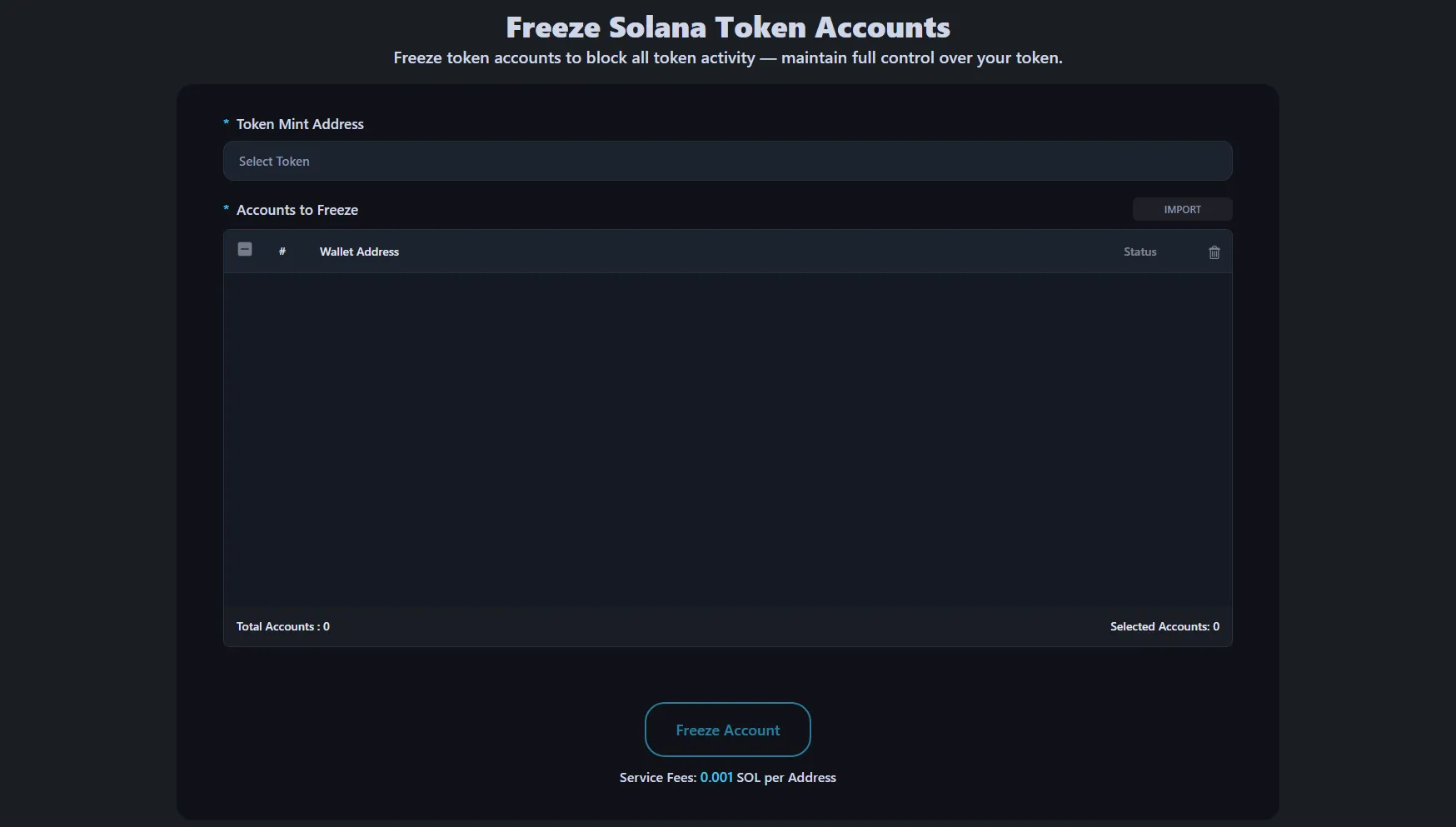
- Access the Freeze Tool : Go to the Freeze Solana Token Accounts. Connect your wallet — it must be the wallet that holds Freeze Authority for the token.
- Select Token and Add Addresses : Select your token from the Token Address dropdown. Then add the wallet addresses you want to freeze. You can:
- Add them one by one using the Add button
- Upload them in bulk with a CSV file
- Confirm and Execute : Review the list of accounts, confirm everything is correct, and press Freeze. The transaction will execute on-chain and the selected accounts will be frozen immediately.
For a detailed walkthrough, see our Freeze Solana Token Accounts Tutorial.
Auto Freeze vs. Manual Freeze
Manual Freeze is what we described above — you select specific accounts and freeze them one by one or in bulk.
Auto Freeze monitors the blockchain in real-time and automatically freezes new token holders that meet predefined conditions. This is useful for:
- Automatically freezing airdrop recipients until a claim date
- Enforcing vesting for all new token holders in a distribution event
- Blocking known bad actors as they acquire your token
What If I Don't Have Freeze Authority?
If you revoked Freeze Authority during token creation (which is recommended for most public tokens), you cannot freeze any accounts. This is permanent and irreversible — that's the whole point. It proves to holders that you have no power to lock their tokens.
If you need freeze functionality for legitimate purposes (vesting, compliance, managed distributions), keep the authority. Just be transparent about it.
Unfreezing Accounts
Frozen accounts can be unfrozen at any time by the Freeze Authority holder. Use the Unfreeze Solana Token Account and follow the same process in reverse.
FAQ
Can I freeze any wallet that holds my token?
Yes, as long as you are the Freeze Authority. You can freeze any token account associated with your mint.
Does freezing affect the token price?
Not directly. But if holders discover you're freezing wallets without reason, trust collapses and price follows.
Should I revoke Freeze Authority?
For public memecoins and community tokens — yes, always. It's a trust signal. For managed token distributions, vesting programs, or compliance-heavy projects — keep it, but disclose it.
What happens if I freeze a wallet that's providing liquidity?
The LP position becomes locked. The wallet cannot remove liquidity until unfrozen. Be extremely careful with this.
Is there a cost to freeze accounts?
Yes, it costs 0.001 SOL per account to freeze.
Don't let the power of Freeze Authority become a liability. Use it responsibly, or revoke it entirely.