
How to Send Base Tokens to Multiple Wallets at Once (2026)
Need to send tokens to dozens — or even hundreds — of wallets at once? Whether you're running an airdrop, distributing rewards to your community, paying team members, or refunding holders, sending tokens one by one is painfully slow and burns through gas. A multisender tool lets you batch all of those transfers into a single transaction.
With Alphecca's Multisender, you can distribute any ERC-20 token or ETH to up to hundreds of addresses in one go. No coding, no scripts, no repeated wallet approvals.
Sending Tokens to Multiple Wallets: Step-by-Step Guide
To send tokens to multiple wallets on Base, head over to the Base Multisender Tool and connect your wallet.
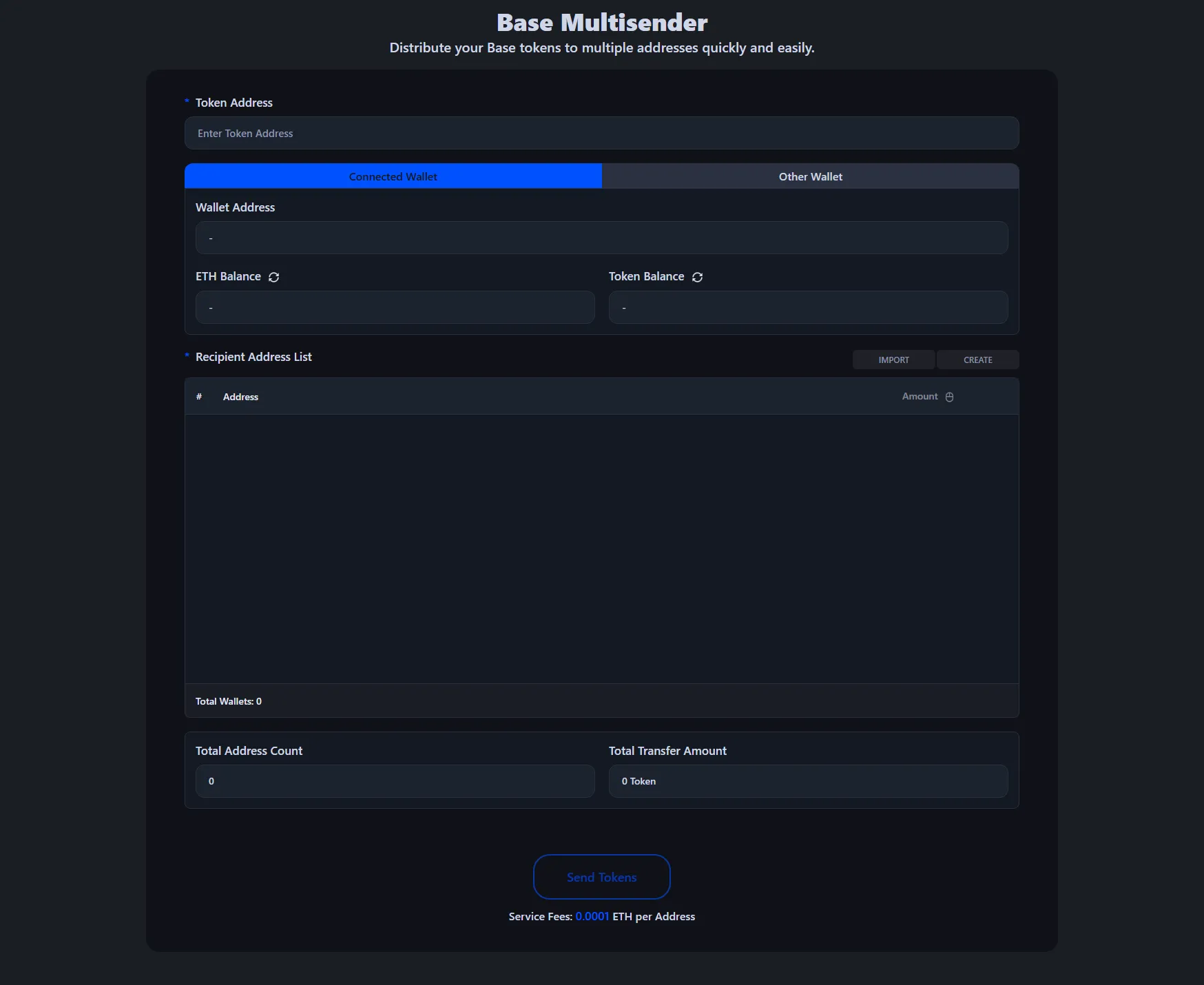
- Connect the wallet that holds the tokens you want to distribute.
- Select the token you want to send — this can be any ERC-20 token or ETH.
- Enter the recipient addresses and amounts. You can paste a list or upload a CSV file.
- Review the total amount and number of recipients.
- Click "send" and approve the transaction.
For a detailed walkthrough on using the Base multisender, check out our EVM Chain Multisender Tutorial.
Once the transaction is confirmed, all recipients will receive their tokens simultaneously. You can verify the transaction on BaseScan. The service fee is 0.0001 ETH per recipient address, plus the standard Base gas fee. No hidden charges.
Common Use Cases
Airdrops. Distributing tokens to your community, early supporters, or NFT holders is one of the most common reasons to use a multisender. Instead of sending hundreds of individual transactions, batch them all into one.
Team and contributor payments. If you're paying multiple team members, advisors, or contributors in tokens, a multisender saves you from repeating the same process over and over.
Community rewards and giveaways. Running a contest or distributing staking rewards? Paste your winner list and send everything in a single click.
Holder refunds or migrations. Moving to a new token contract? Send replacement tokens to all existing holders at once.
Frequently Asked Questions
Can I send both ERC-20 tokens and ETH?
Yes, Alphecca's multisender supports both ERC-20 tokens and native ETH. Just select which asset you want to send when setting up the transaction.
How many addresses can I send to at once?
You can send to hundreds of addresses in a single transaction. For very large distributions (1,000+ addresses), you may need to split them into multiple batches due to block gas limits, but the tool handles this automatically.
How much does it cost?
The service fee is 0.0001 ETH per recipient address. For example, if you're sending tokens to 100 wallets, the service fee would be 0.01 ETH, plus the standard Base gas fee for the transaction.
Can I upload a CSV file with the addresses?
Yes, you can either paste a list of addresses and amounts directly, or upload a CSV file. The expected format is one address and amount per line, separated by a comma.
What happens if one of the addresses is invalid?
The tool validates all addresses before executing the transaction. If any address is invalid, you'll be notified before the transaction is submitted so you can fix it.
Is it safe? Can the tool access my tokens without permission?
The multisender requires a one-time token approval (standard for any ERC-20 interaction), then executes the batch transfer. It only sends the exact amounts you specify — nothing more. Always review the transaction details in your wallet app (MetaMask, Rabby, etc.) before confirming. The transaction is fully transparent and verifiable on BaseScan.
Wrapping Up
Sending tokens to multiple wallets on Base doesn't have to be a tedious, gas-burning chore. With Alphecca's Multisender, you can distribute tokens to hundreds of addresses in a single transaction — no coding required. Just connect your wallet, paste your list, and send. It's that simple.